
Code Documentation
XSLT 4.0 adds the xsl:note element, for documentation within a stylesheet. The
XSLT/XPath extension supports notes written in a simple format, xdoc-md: Markdown
text followed by tags such as @param and @return, in the style of Javadoc
and xqDoc.
A note in this format, as the first child of an xsl:function, a named
xsl:template or an xsl:item-type, is shown in hover help wherever the
declaration is used - including from other stylesheet modules - and on the declaration's own name. For
functions and templates, it's also shown in signature help. For a record type, declared with
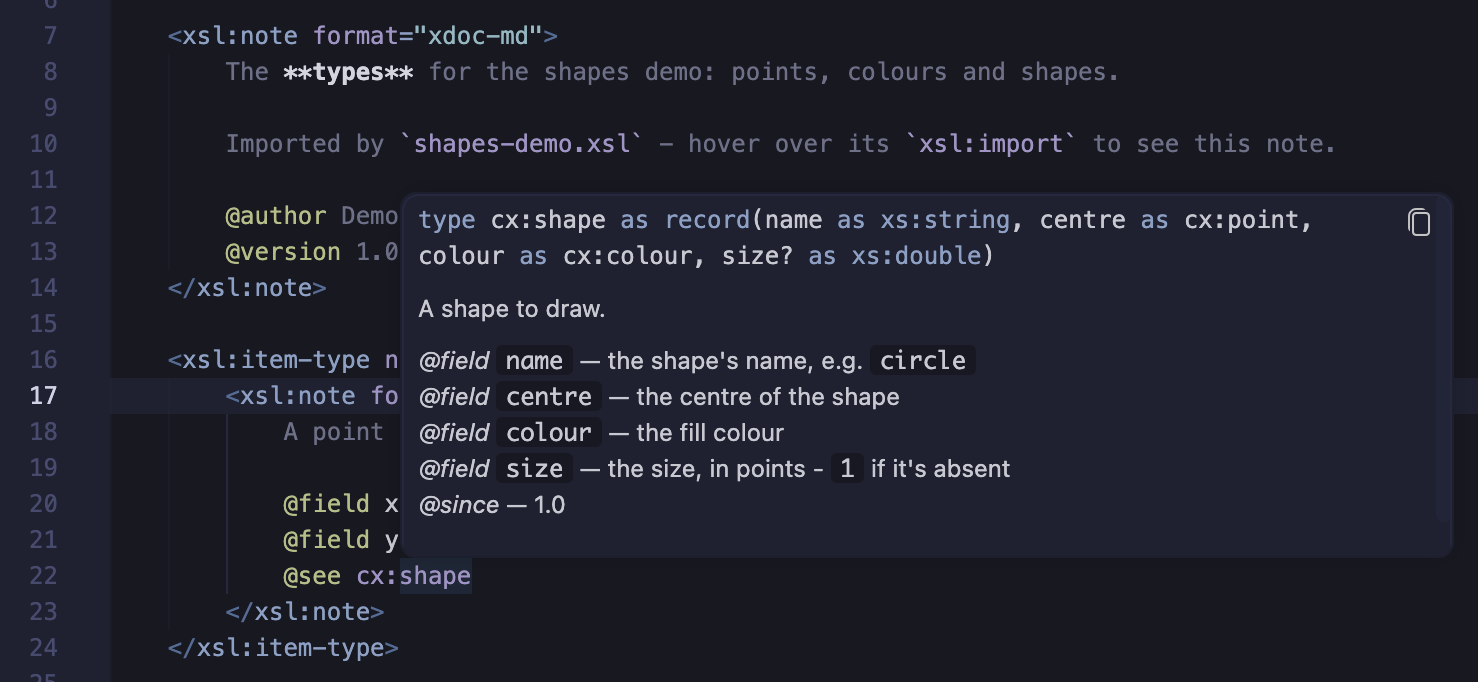
xsl:item-type, the note can also describe each of the record's fields.
A module note, as the first child of the xsl:stylesheet,
describes the module and its global parameters and variables - and a global parameter or variable can
have a note of its own, for more detail.
The XSLT 4.0 specification allows xsl:note anywhere, with any attributes and content, and
leaves the format of the documentation open. The format="xdoc-md" attribute is the
extension's convention for the notes it shows: XSLT processors ignore it, with the rest of the note.
These features are enabled when the stylesheet has version="4.0" - and for XSLT 3.0, see Notes in XSLT 3.0.
Writing a documentation note
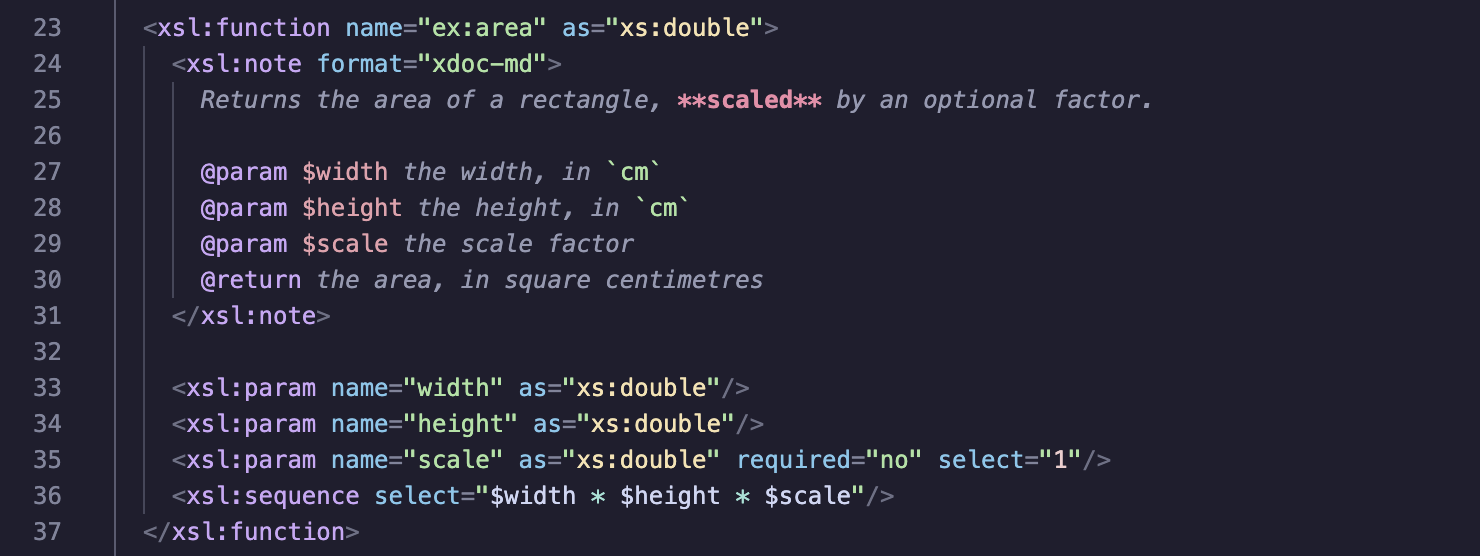
Set the format attribute to xdoc-md. The text before the first tag is a
description, in Markdown. Each tag starts a new line, and continues on the following lines up to the
next tag:
Tags
@param $name- a parameter of a function or template - or, in a module note, a global parameter@return- the result of a function or template@field name- a field of a record type, for anxsl:item-type@variable $name- a global variable, in a module note@see- a related function, template, item type, variable or URI - see References to other declarations@since- the version it was added in@deprecated- why it should no longer be used, and what to use instead@error- an error a function or template may raise@authorand@version- for a module note
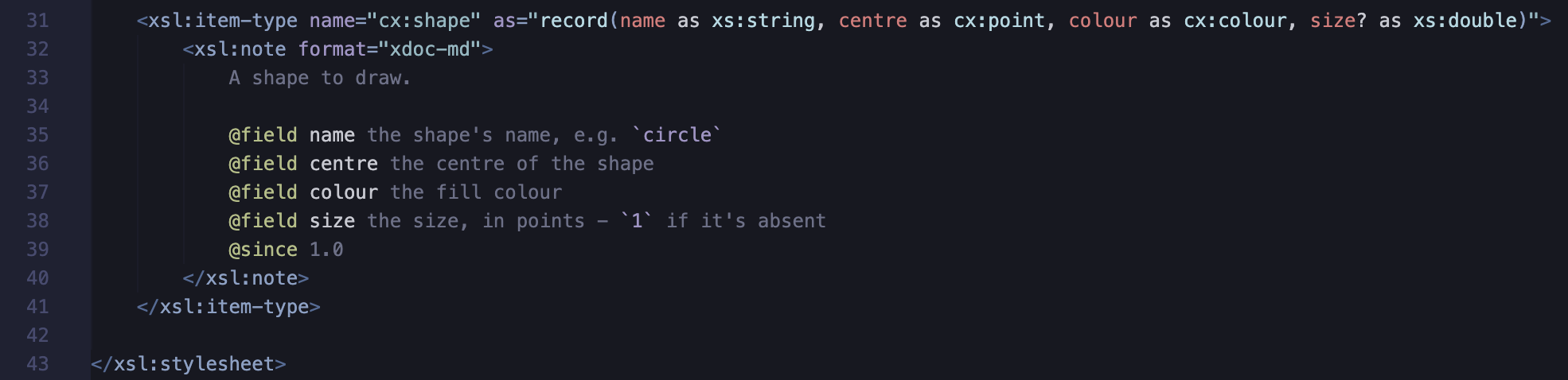
@field isn't an xqDoc tag: the extension adds it, in the same style, for documenting
records. A field name that isn't an NCName is quoted, as in the record type - for example
@field 'unit name' e.g. cm.
xsl:note.Markdown
The description and tag text can use Markdown: **bold**, *italics*,
`code`, [links](https://example.com) and # headings.
As the note is XML, the characters < and & must be escaped as normal XML, for
example <. Alternatively, put text containing markup in a CDATA section: its content
is shown exactly as written.
Adding a note
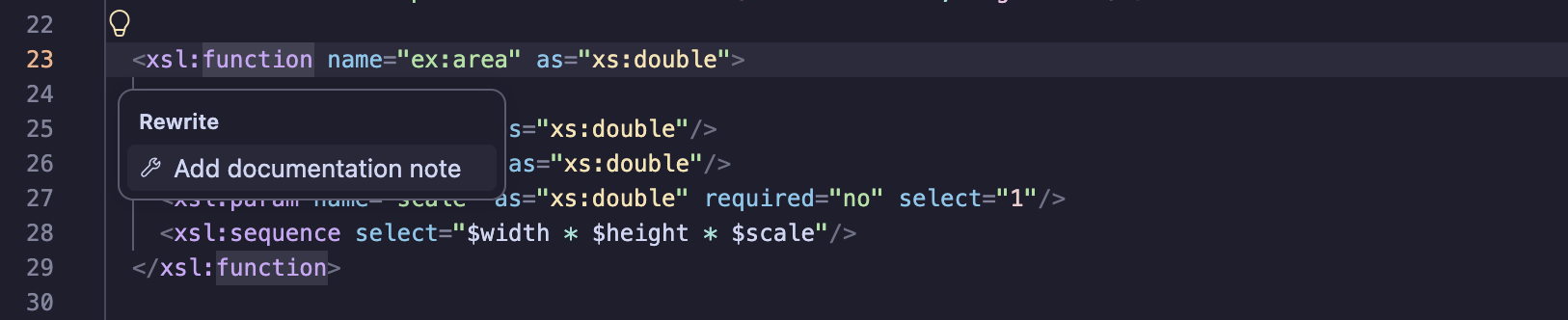
With the cursor on the start tag of an xsl:function, xsl:template,
xsl:item-type, the xsl:stylesheet, or a global xsl:param or
xsl:variable, that has no xsl:note, choose Add documentation
note from the refactorings (💡 or ⌘.).
A note is inserted as the first child, with:
- an
@paramfor each parameter, and an@returnfor a function (or a template with anasattribute) - for an
xsl:item-typewith a record type, an@fieldfor each field - for a module note, an
@paramor@variablefor each global parameter or variable that has no note of its own
An empty element, e.g. <xsl:item-type .../>, gets an end tag for the note.
Press Tab to move between the description placeholders.
Notes can also be added with auto-completion, after <:
- xsl:note inserts a note on one line. It's offered within any XSLT element, and
within literal result elements - XSLT 4.0 allows
xsl:noteanywhere. - xsl:note xdoc-md inserts a documentation note. It's offered where one is used - within a function, named template, item type, global parameter or variable, or at the top level for the module note - and when there isn't one yet. There, it's listed first, and preselected.
Within the start tag of an xsl:note, format is offered as an attribute, and
xdoc-md as its value.
Within a note, typing @ offers the tags that apply: @field for an
xsl:item-type; @param, @return and @error for a
function or template; and @param, @variable, @author and
@version for a module note. After @param, the parameter names without an
@param yet are offered - and likewise after @field and @variable.
Where notes are shown
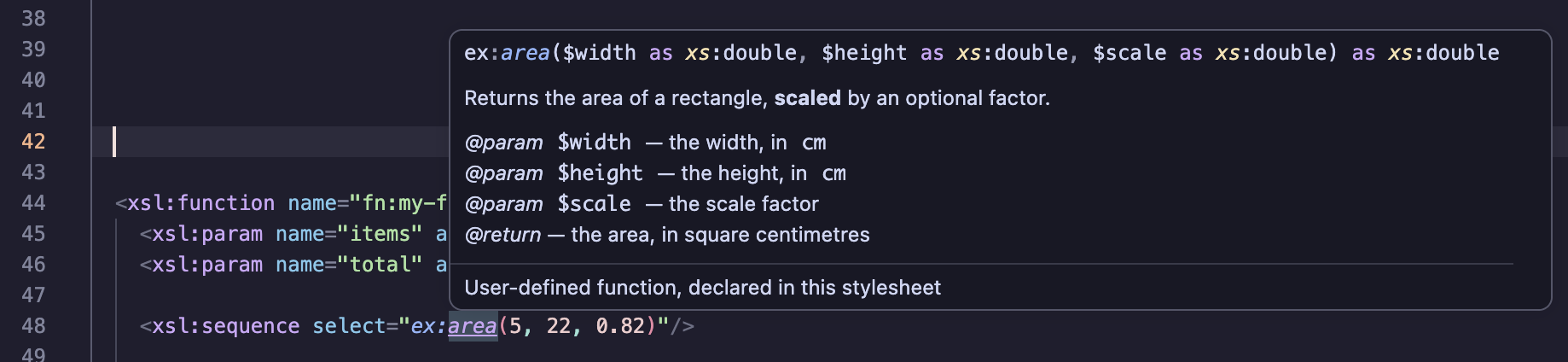
- Hover help - on a call to the function, or on the
nameof anxsl:call-template, the note's description and tags are shown with the signature. On thenameof anxsl:with-param, the parameter's@paramtext is shown. - Hover help on item types - on a named item type where it's used, e.g. in an
asattribute or afterinstance of, the note is shown with the type's declaration. - Hover help on declarations - on the
nameof anxsl:function, namedxsl:templateorxsl:item-type, the note is shown just as for a use of it. On thenameof anxsl:paramof a function or template, the parameter's@paramtext is shown. - Record fields - the
@fieldtext is shown in hover help on a field, e.g.rin$c?r, and with the field suggestions of auto-completion: for a lookup, a child step on a JNode, a map constructor key and anxsl:map-entry. For an item type declared as another, e.g.as="cx:point", the other type's@fieldtext is used. - Variable references - on a reference to a global parameter or variable, e.g.
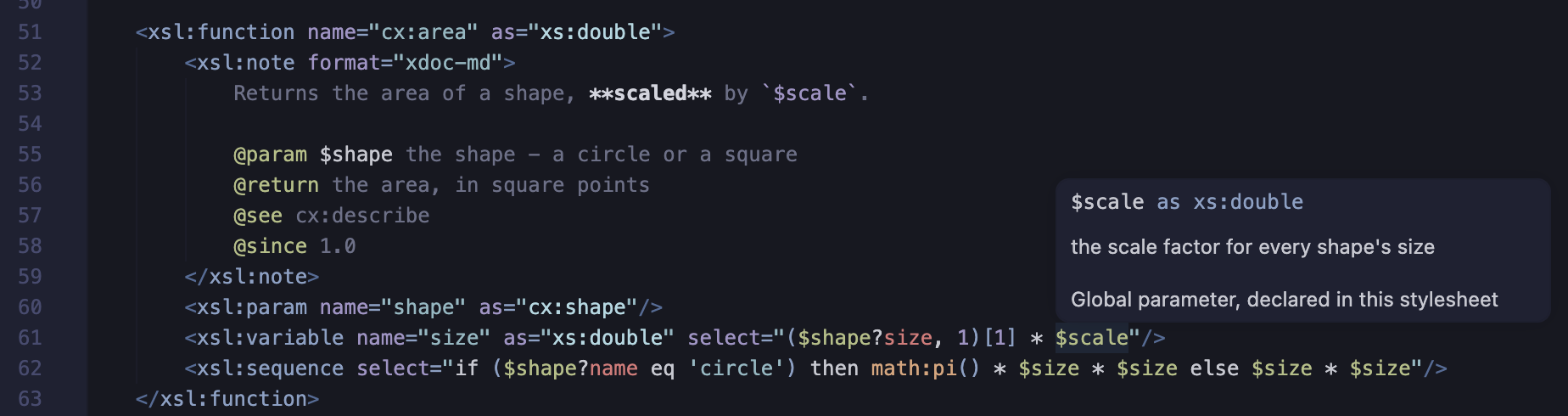
$scale, or thenameof its declaration, its type and documentation are shown - see Module notes. On a reference to a parameter of a function or template, its@paramtext is shown. - Signature help - while typing the arguments of a function call, or the
xsl:with-paramchildren of anxsl:call-template, the parameter hints show the@paramtext for the current parameter. - Auto-completion - the
xsl:with-paramsuggestions within anxsl:call-templateshow the@paramtext for each parameter.
Notes on functions, templates and item types in included and imported stylesheets are shown too.
xdoc-md documentation on the function (or named template) hover over the referring code.References to other declarations
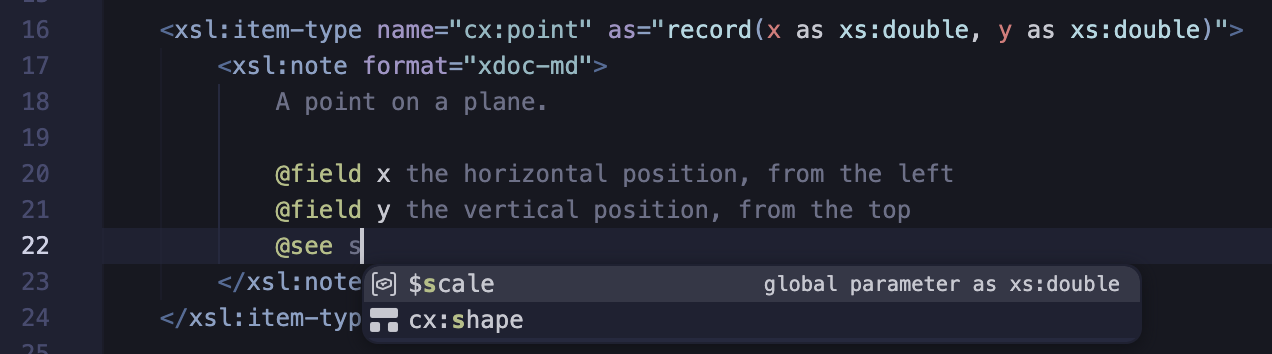
A note can refer to a function, template, item type or variable declared elsewhere - after
@see, or as a Markdown code span anywhere in the note - using the XPath syntax for it:
my:area#2- the function with that aritymy:area()ormy:area- a function of any arity - or formy:area, else a named item type or template$scale- a parameter of the function or template the note documents, or else a global parameter or variabletemplate my:draw- a named template
For example, @see my:area#2, or Uses `$scale` and `template my:draw`. In a code span,
a name without a prefix is only a reference as $name, name#2,
name() or template name, as code spans are used for other text too.
- Navigation - Go to Definition and hover help work on a reference just as on a use of the declaration, including declarations in imported and included modules.
- Find references and rename - the references in notes are found, and renamed, with the
declaration - e.g. renaming
my:areachanges@see my:area#2too. - Auto-completion - after
@see, and within a code span, the declarations are suggested, written so that they refer to them: parameters and variables, e.g.$scale, functions by arity, e.g.my:area#2, then item types and templates.
Module notes
A documentation note as the first child of the xsl:stylesheet (or xsl:transform
or xsl:package) describes the module. Its tags can describe the global parameters and
variables briefly, so they don't need notes of their own:
<xsl:stylesheet ... version="4.0">
  <xsl:note format="xdoc-md">
    Draws shapes.

    @param $scale the scale factor
    @variable $origin the point all shapes start from
    @author Ann
    @version 1.2
  </xsl:note>
  <xsl:param name="scale" as="xs:double" select="1"/>
  <xsl:param name="colour" as="cx:colour" select="'red'">
    <xsl:note format="xdoc-md">The fill colour, used for **every** shape.</xsl:note>
  </xsl:param>
For more detail, a global xsl:param or xsl:variable can have a documentation
note of its own, as its first child. It's shown in place of the module note's @param or
@variable text - so a module note can give a brief summary, and the parameter's own note the
details.
- Hover help on variables - on a reference to a global parameter or variable, or
the
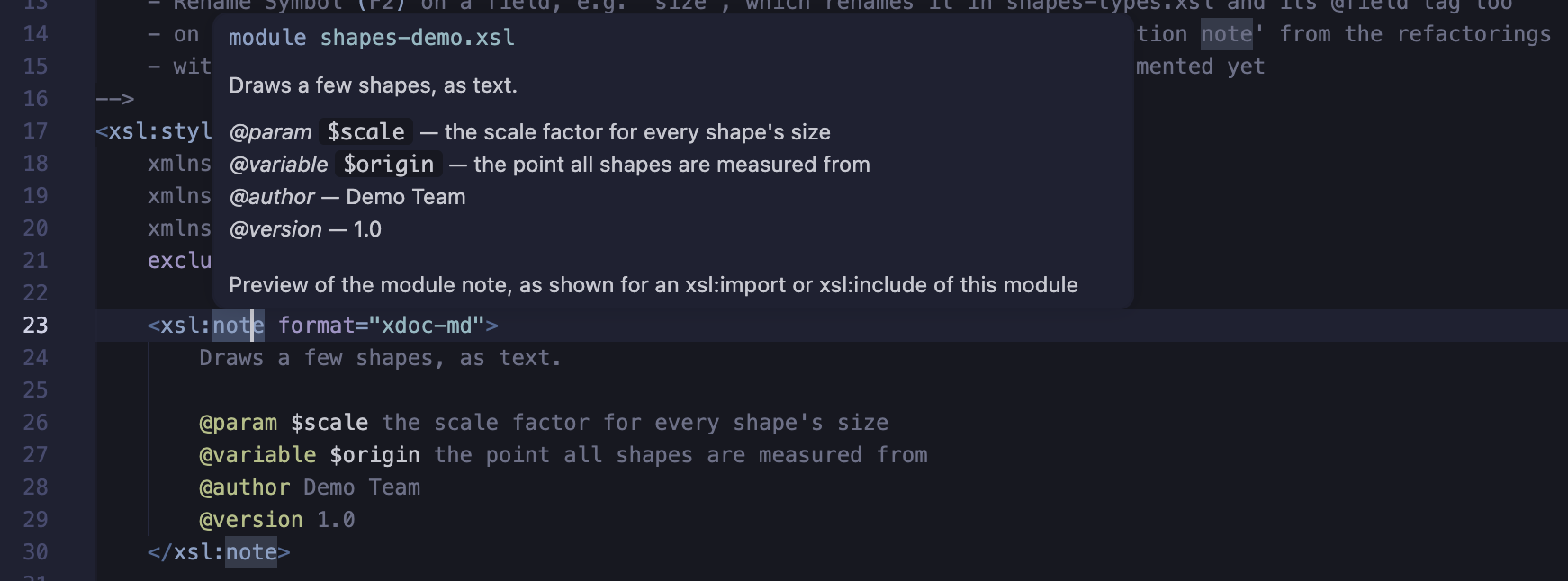
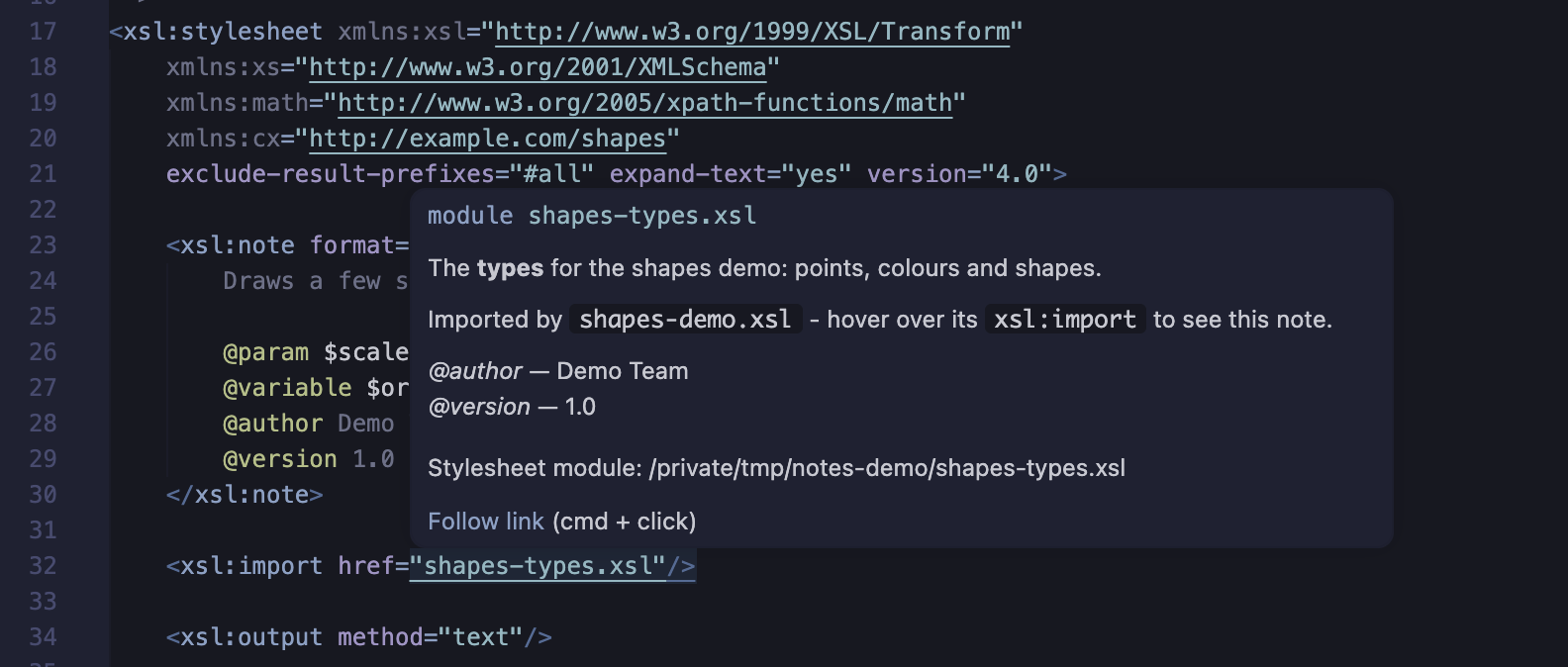
nameof its declaration: its type, its documentation, and for an enumeration type, its values. - Hover help on imports - on the
hrefof anxsl:importorxsl:include: the module's note, and its path. - Preview - on the start tag of the module note: the note as it's shown for an import of the module.
- Rename - renaming a global parameter or variable renames its
@paramor@variabletag too.
Notes in XSLT 3.0
Unless you're using a compatible Saxon version with Saxon extensions enabled (see note below),
an XSLT 3.0 processor reports XTSE0010 for xsl:note, as an unknown XSLT
element - the workaround is just to exclude this with use-when="false()", which works with any processor.
In a stylesheet with version="3.0":
- an
xsl:notewithout ause-whenattribute is a warning, with the quick fix Exclude with use-when="false()" - the
xsl:notecompletions and Add documentation note insert the note withuse-when="false()" - documentation notes are shown, highlighted and checked, as in XSLT 4.0
Highlighting Details
The content of a note is highlighted as documentation: tags, parameter and field names, code, bold and
italic text, headings and links each have their own semantic token type. The token types have fallbacks, so
they're highlighted in most color themes. To change their colors, add rules for the token types
xdocText, xdocTag, xdocParam, xdocCode,
xdocBold, xdocItalic, xdocHeading, xdocLink and
xdocCdata to the editor.semanticTokenColorCustomizations setting.
Notes as XML
The extension includes an Invisible XML grammar for its
documentation notes, xdoc-md.ixml.
With the XPath 4.0 invisible-xml() function, a stylesheet can use it to turn its notes into
XML - for example, to generate documentation for a library of functions.
Tag Checks
The @param tags are checked against the xsl:param elements of the function
or template, and the @field tags against the fields of the item type's record type:
- an
@paramfor a name that isn't a parameter, or an@fieldfor a name that isn't a field, is a warning - a second
@paramfor the same parameter, or@fieldfor the same field, is a warning - when a note has
@paramtags, parameters without one are reported as information, with an Add missing @param quick fix - and likewise fields without an@field, with an Add missing @field quick fix - an
@fieldin the note of a function or template, or of an item type that isn't a record type, is a warning - an
@param,@returnor@errorin the note of anxsl:item-typeis a warning - an
@seereference that refers to no declaration, e.g.@see my:aera#2, is a warning - but not other text, e.g. a URL, or a built-in function or type, e.g.fn:sum#1
In a module note, the @param and @variable tags are checked against the global
parameters and variables in the same way. A global parameter or variable with a note of its own isn't
reported as missing from the module note. @return and @error in a module note,
and @param, @variable, @return and @error in the note
of a global parameter or variable, are warnings.